Why do I need to submit my medical history?
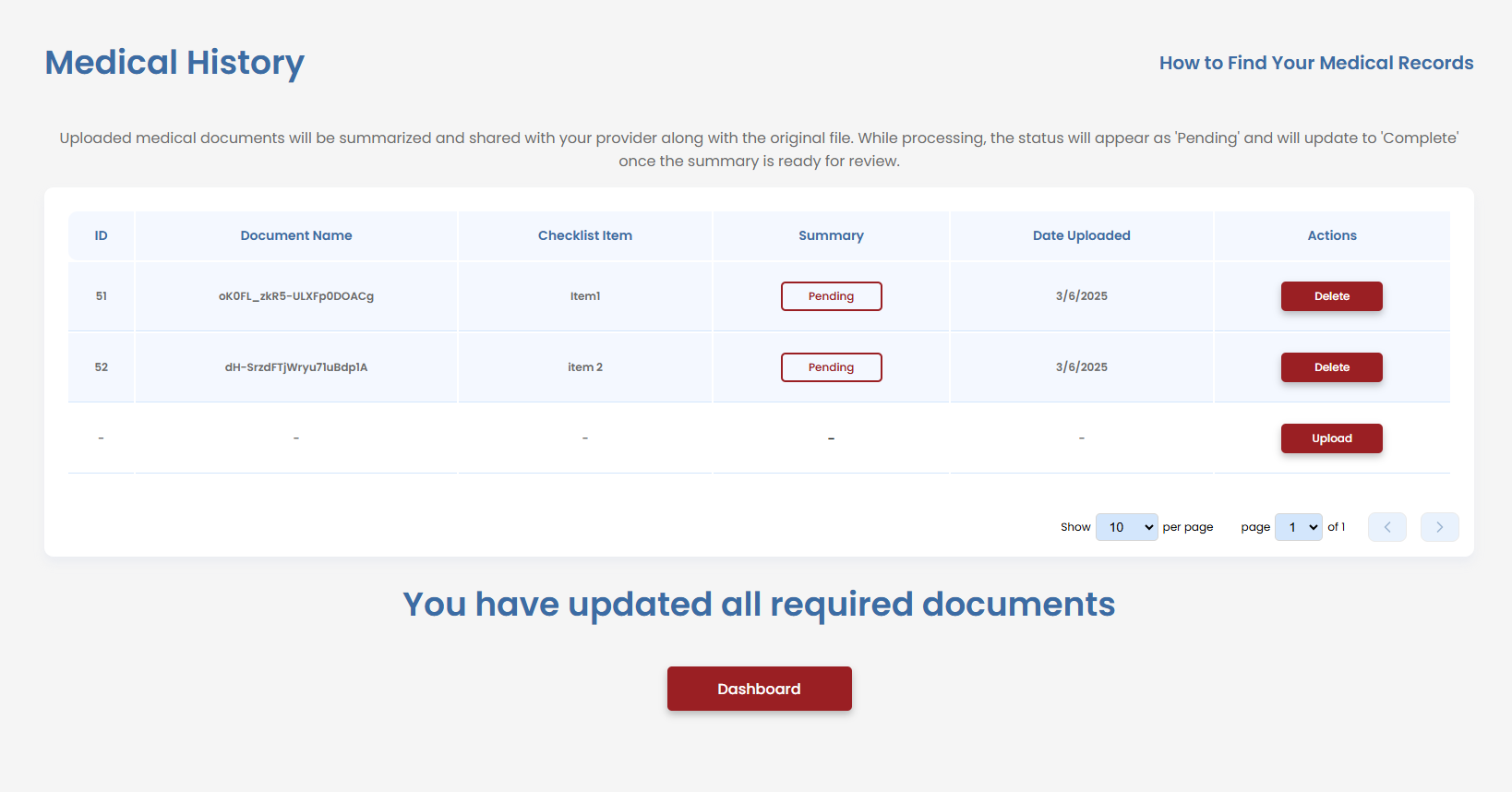
Your medical history will be summarized and reviewed by your doctor during each visit to ensure accurate assessments of your conditions.
The Importance of Submitting Your Medical History
Submitting your medical history is a crucial step in the VetVantage process. It allows doctors to efficiently review your past medical records and ensure that your Disability Benefits Questionnaire (DBQ) is completed with the most accurate information
- Summarization for Efficiency: VetVantage uses advanced technology to summarize large medical records, condensing potentially hundreds of pages into an easy-to-read format
- Condition-Specific Focus: The summary will highlight information relevant to your service-connected disabilities, making it easier for doctors to evaluate your case
- Faster & More Accurate Evaluations: With a well-organized summary, doctors can quickly determine if additional testing is needed and provide truthful, well-documented responses on the DBQ
- Ensuring a Proper VA Rating: By submitting a clear and concise medical history, you help ensure that the VA accurately assesses your disability rating, which may impact your benefits and compensation
If you have extensive medical records, VetVantage simplifies the process by focusing only on what is necessary for your VA claim. This reduces review time and ensures your provider has the most relevant information for your evaluation
Related Articles
How do I upload my medical documents?
Steps to Upload Your Medical Documents 1. Navigate to the Medical History Page Go to the Medical History section in VetVantage 2. Click the "Upload" Button Locate the Upload button on the page (as shown in the screenshot) 3. Choose the Correct File ...How Do I Get My Medical Documents?
You can access and request your medical documents through the VA website: VA Medical Records Request Accessing Your Medical Records via VA Blue Button The VA Blue Button is a tool that allows veterans to securely view, download, and share their ...How to Download VA Medical Records Online
How to Download Your VA Medical Records Follow the steps below to access and download your medical records through VA.gov using the My HealtheVet system. Step 1 — Sign In to VA.gov Open your web browser and go to the VA.gov website. Select the Sign ...How to Download Your VA Medical Records(GENESIS)
How to Download VA Medical Records Online Veterans can securely access and download medical records online through VA.gov using the My HealtheVet system. This process allows you to review healthcare documentation, download visit summaries, save ...How to Complete and Submit the SF-180 Request for Military Records
The Standard Form 180 (SF-180) is used to request military service records, including DD214 forms, medical records, personnel files, and other military documentation. This guide explains how veterans can complete the form and submit their request for ...