Where can I get my condition information?
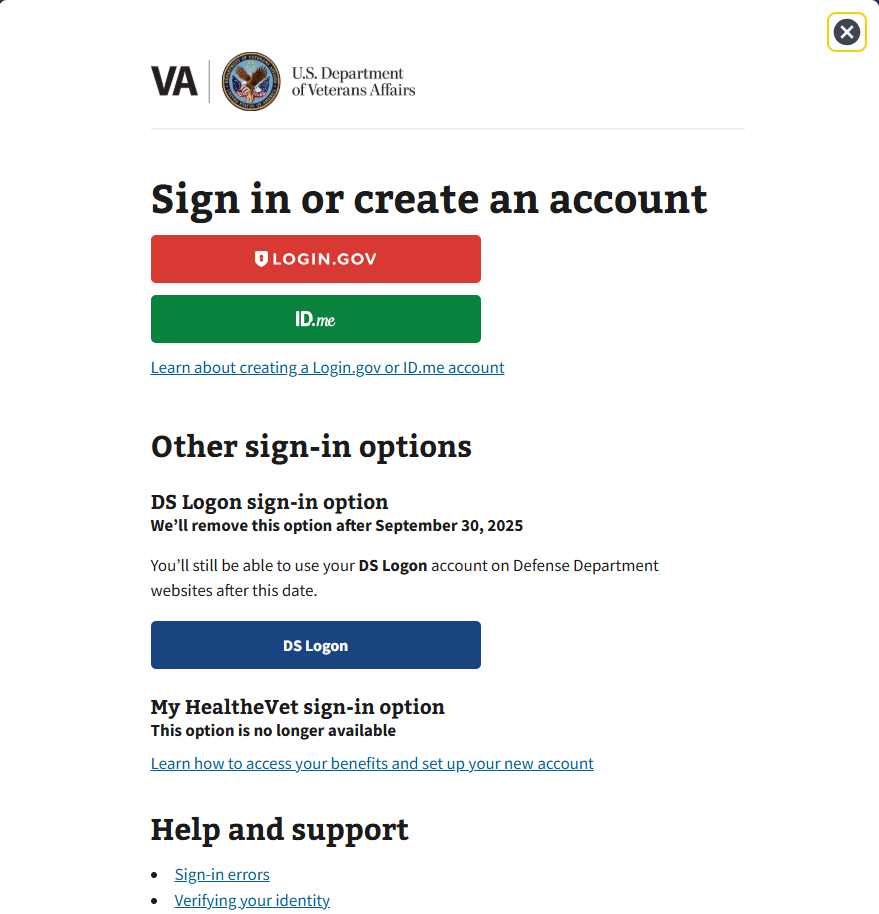
Steps to Find Your Condition Information on VA.gov
- Visit VA.gov – Go to the official VA website
- Sign In to Your Account – Use ID.me, DS Logon, or My HealtheVet credentials
- Navigate to Disability Benefits – Once logged in, find the section labeled Disability or Compensation & Pension
- Review Your Current Ratings – This section will display your service-connected conditions, their assigned disability ratings, and any updates related to your benefits
Alternative Sources for Condition Information
- VA Award Letters & Decision Notices – The VA sends letters outlining your condition ratings and decisions regarding your benefits
- Medical Records from VA Health Care Providers – You can request records through My HealtheVet if you receive treatment at a VA facility
- VetVantage Dashboard – If you have previously entered your conditions in VetVantage, you may be able to review your submitted information
If you are unable to access your VA.gov account or need assistance, you can contact the VA support team or visit a regional VA office for further help.
Related Articles
How are my conditions rated?
How the VA Determines Your Rating The VA rates your conditions based on the information provided in your Disability Benefits Questionnaires (DBQs) and medical evidence. These ratings determine the level of compensation you may receive. The VA uses ...What happens during a Personal Assessment Exam?
Answer: The doctor will review all the information you have provided and confirm if your service connected conditions qualify you for an increase in disability benefits. What to Expect in the Exam: 1. Telehealth or In-Person The type of exam depends ...How to get you SnapShot
Answer: To get your snapshot, log into your VA.gov account, navigate to your benefits summary, and take a screenshot using your device. To take a screenshot follow the directions below. Steps to Get Your Snapshot 1. Sign In to Your VA.gov Account Go ...How do I get my snapshot?
Answer: To get your snapshot, log into your VA.gov account, navigate to your benefits summary, and take a screenshot using your device. To take a screenshot follow the directions below. Steps to Get Your Snapshot 1. Sign In to Your VA.gov Account Go ...What is a DBQ Exam?
Answer: The DBQ Exam is the final appointment in the VetVantage process, where all Disability Benefits Questionnaires (DBQs) are reviewed and finalized before filing a claim. What Happens During the DBQ Exam? 1. Finalizing Medical Evidence By this ...