How Can I Get the Address for My In-Person Appointment?
Answer:
By going to the appointment details page in your VetVantage account
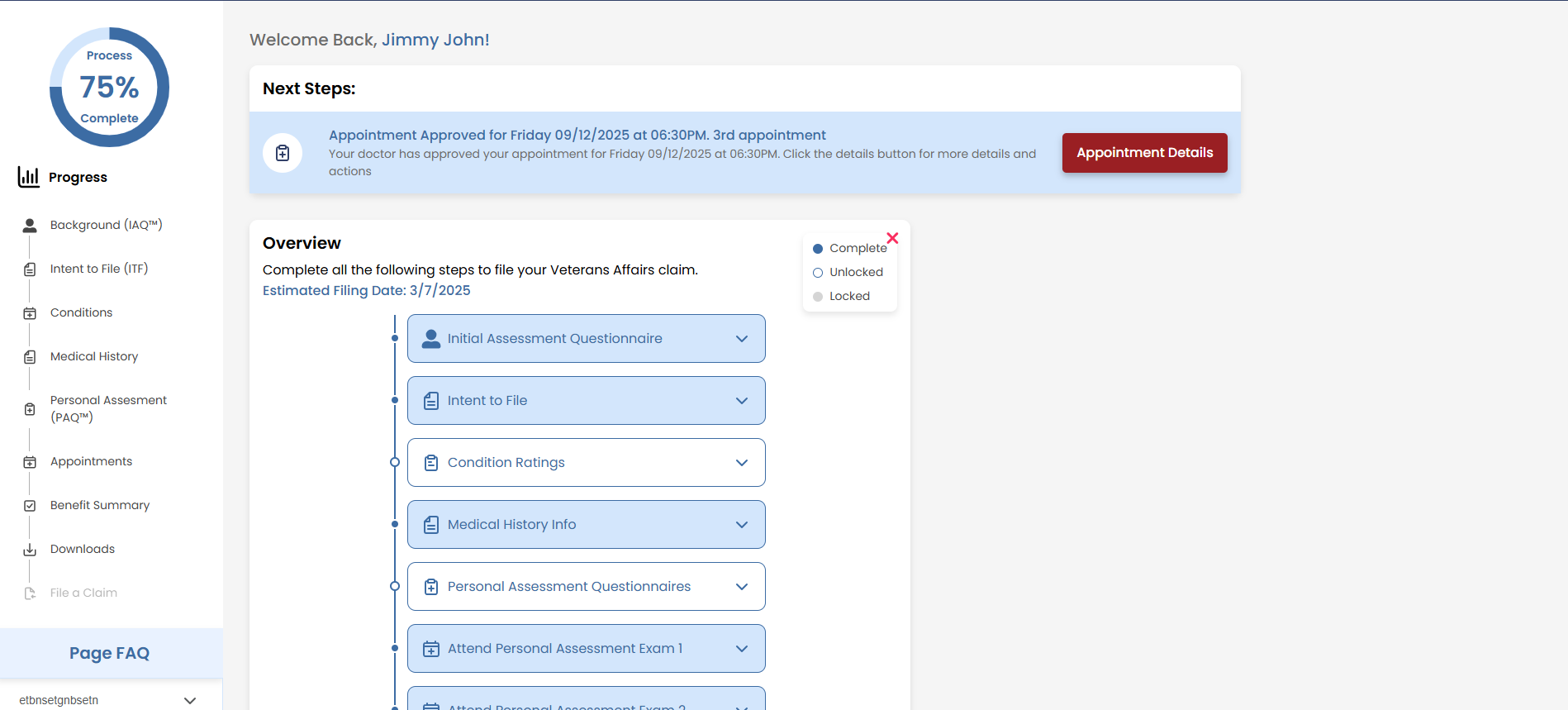
Steps to Find Your Appointment Address:
1. Confirm Your Appointment is Approved
- Check your VetVantage notifications (in-app, email, or text)
- Ensure your appointment has been confirmed
2. Access Your Appointment Details:
- Go to your Dashboard or Appointment Page.
- Under "Next Steps," select "Appointment Details" (a modal will pop up)
- Click "Details" again to open the full appointment page
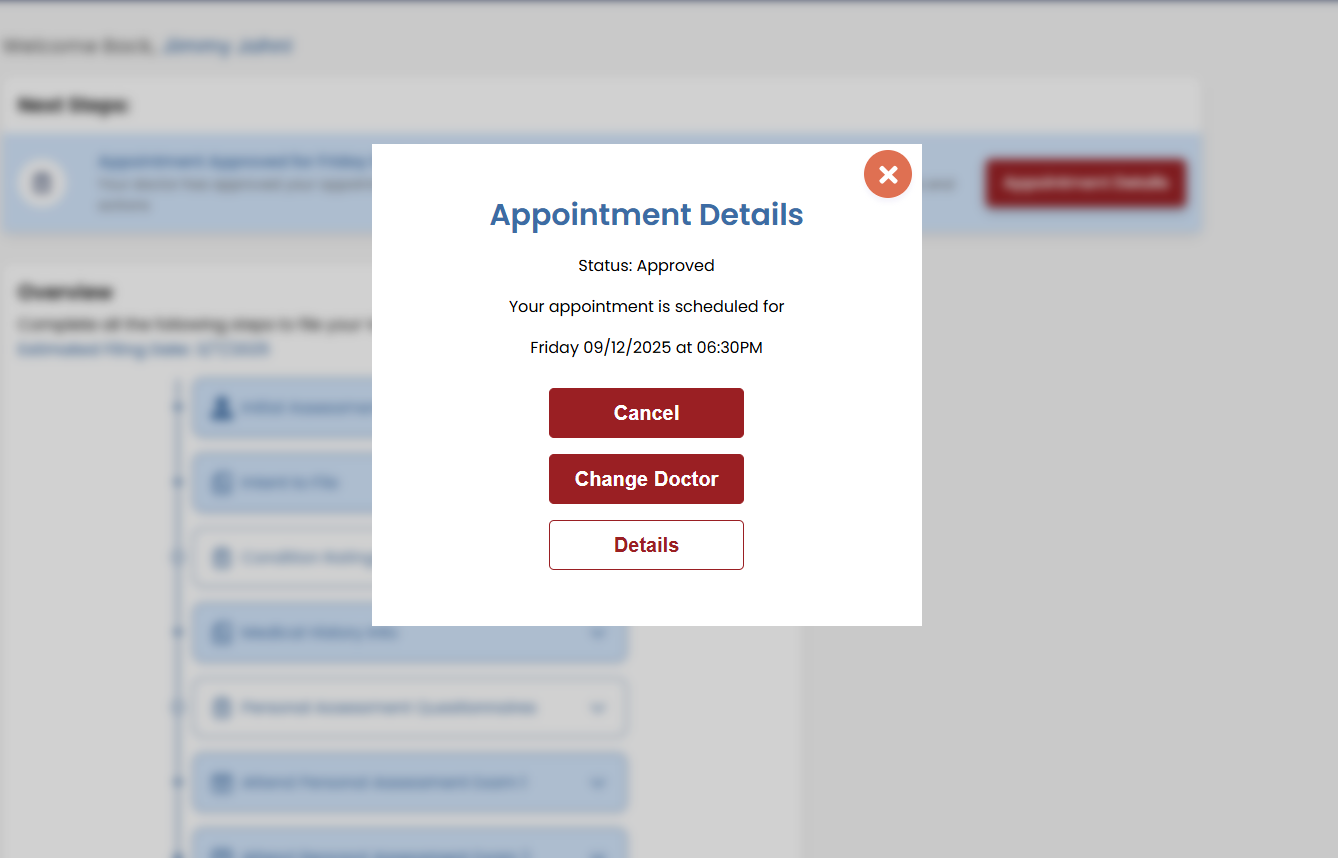
3. Find the Address:
- The appointment details page will display the address for your in-person appointment
- If needed, copy the address or use the "Open in Maps" feature if available on your mobile device
Tip: Arrive at least 20 minutes early and bring any necessary documents
Related Articles
How do I schedule my appointments?
Answer: You can schedule your appointments through the Appointment Page within the VetVantage application. However, there are requirements you need to complete beforehand. Steps to Schedule an Appointment: 1. Ensure Your Information is Complete ...Why Do I Have to Schedule So Many Appointments?
Answer: We schedule multiple appointments for two key reasons. First, to gather comprehensive evidence about your service conditions, ensuring nothing is overlooked. Second, the VA has increased efforts to prevent fraudulent claims, often flagging ...What should I bring to my assessment?
Answer: Bring anything you believe is necessary to support your medical claim for an increase. To ensure that you and your doctor are on the same page, please use ask for the required documents ahead of time. What to Bring? For In-Person ...What happens during a Personal Assessment Exam?
Answer: The doctor will review all the information you have provided and confirm if your service connected conditions qualify you for an increase in disability benefits. What to Expect in the Exam: 1. Telehealth or In-Person The type of exam depends ...Video: How to Start/Run/Complete an Online Appointment